YTMP4 is a free online YouTube to MP4 converter and downloader. Paste any public YouTube link into the box above, and YTMP4 lists every quality the video has, from 1080p Full HD down to 144p, as MP4 files with sound, plus MP3 and the original M4A audio. There’s nothing to install and no account to create, and it works the same on Android, iPhone, iPad, Windows and Mac.
What makes YTMP4 different
Search for “ytmp4” and you’ll find a dozen sites with the same name. Many of them have the same problems: the 1080p button gives a video without sound, the “320 kbps MP3” is really a 128 kbps file with a new label, or the download opens a pop-up instead of a file. The YTMP4 converter on ytmp4.pl was built to avoid those traps:
- Real 1080p with audio. YouTube keeps HD picture and sound in separate streams. YTMP4 joins them into one MP4, so 1080p, 720p and 480p all play with sound.
- Honest audio formats. You get an MP3 at 192 kbps for compatibility and the original AAC track (M4A) untouched, not invented bitrates.
- MP4 that plays everywhere. Every video is H.264 + AAC, the format phones, smart TVs, car screens, WhatsApp, CapCut and Premiere all open without converting again.
- No clutter. One box, one button, a clean list of files.
How to use the YTMP4 downloader
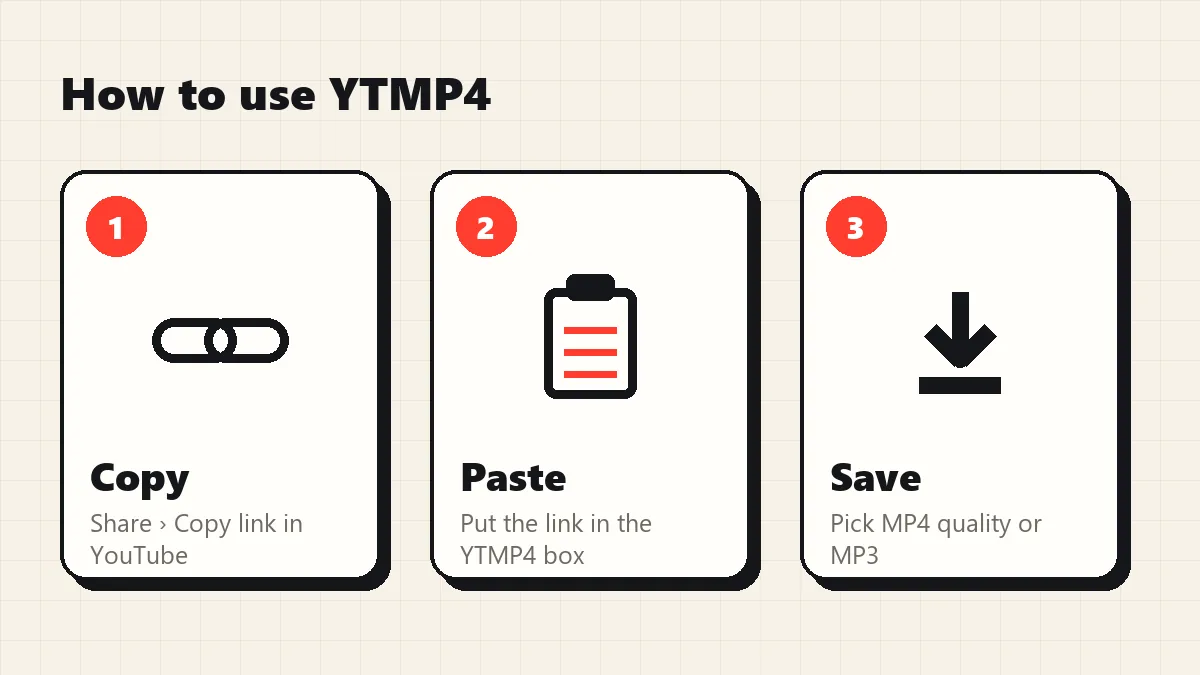
The YTMP4 downloader works the same on every device, and a YTMP4 download takes four taps:
- Copy the YouTube link. In the YouTube app tap Share › Copy link. On a computer, copy the address from the browser bar.
- Paste it into YTMP4 and press Convert. The video is read in about two seconds.
- Choose a quality. Pick 1080p for the best picture, 480p for a small file, or switch to the Audio tab for MP3.
- Save the file. It goes to your Downloads folder. On iPhone, move it to Photos from Files › Downloads with Share › Save Video.
That’s the whole YTMP4 download process. No waiting room, no “click here to continue”. Bookmark the page and the YTMP4 downloader is always one tap away for your next YTMP4 download.
YouTube MP4 download in any quality
YTMP4 works as a complete YouTube downloader: it lets you download YouTube videos of any length, from short clips to hour-long lectures. Every YouTube MP4 download is a single file with picture and sound together, so there’s nothing to join or convert afterwards. Whether you want to convert YouTube videos to MP4 for a TV, keep a YouTube video to MP4 copy for a long flight, or save a tutorial for offline study, the steps are the same: paste, choose, download.
Which quality should you choose?
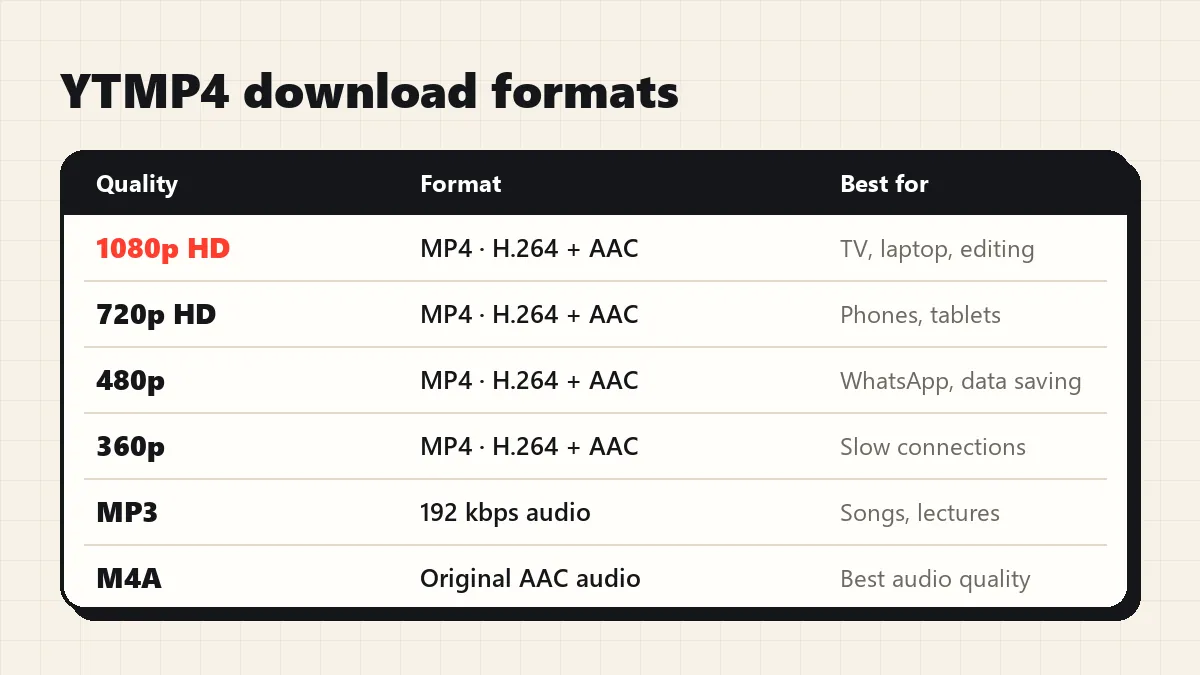
| Quality | Typical size (4-minute video) | Best for |
|---|---|---|
| 1080p HD | 40–110 MB | TVs, laptops, editing |
| 720p HD | 18–30 MB | Phones and tablets |
| 480p | 10–20 MB | WhatsApp, mobile data |
| 360p / 240p / 144p | 2–8 MB | Very slow connections, old phones |
| MP3 192 kbps | about 6 MB | Songs, lectures, podcasts |
| M4A (original) | about 4 MB | Best audio quality, Apple devices |
If a video was uploaded in 720p, YTMP4 shows 720p as the top option. It never upscales, because a stretched 720p file only gets bigger, not sharper.
YouTube links YTMP4 accepts
- Normal video links:
youtube.com/watch?v=… - Share links from the app:
youtu.be/…?si=…(the tracking part is removed for you) - Shorts:
youtube.com/shorts/… - Mobile links:
m.youtube.com/… - A video inside a playlist:
…&list=…(just that video is converted) - Live streams after they end:
youtube.com/live/…
Channel pages and whole playlists can’t be converted; open one video and copy its link.
YTMP4 on every device
The YTMP4 converter needs no app: the same YTMP4 downloader page works on phones, tablets and computers.
Android: use Chrome. The MP4 lands in Files › Downloads and shows up in your gallery.
iPhone and iPad: use Safari. Files go to Files › Downloads. Tap the video, then Share › Save Video to put it in Photos.
Windows and Mac: any browser works. Press Ctrl + J (or Cmd + Option + L on Mac) to see your downloads.
Is YTMP4 safe?
A common search is “is ytmp4 safe”, and it’s a fair question, because some YouTube converters push fake download buttons, browser notifications or software installers. YTMP4 on ytmp4.pl does none of that:
- No installs. It’s a web page. Nothing is added to your phone or computer except the file you choose.
- No account. We never ask for a Google login or any personal data.
- No stored files. Videos stream from YouTube through the converter straight to you. Nothing is kept on our server, and download links expire after 10 minutes.
YTMP4 converter tools
- YouTube to MP4: every MP4 size from 1080p to 144p.
- YouTube to MP3: save songs and talks as MP3 or the original M4A.
- YouTube Shorts downloader: vertical Shorts as HD MP4.
Use YTMP4 responsibly
Download your own uploads, Creative Commons videos, or content you have permission to keep for offline viewing. Re-uploading someone else’s video breaks YouTube’s rules and usually copyright law. YTMP4 is an independent tool and is not affiliated with YouTube or Google.