Free · No sign-up · 1080p

YouTube Shorts Downloader

Save any public YouTube Short as a vertical MP4 in its original quality, or keep just the sound as MP3.

Rate YTMP4:

Be the first to rate

  • MP4 1080p · 720p · 480p · 360p
  • MP3 & M4A audio
  • Shorts & youtu.be links
  • Phone · Tablet · PC
Reading the video…

Did YTMP4 work for you?

Tap a star to rate us. It takes one second and helps others find a converter that works.

How it works

How to use YouTube Shorts Downloader

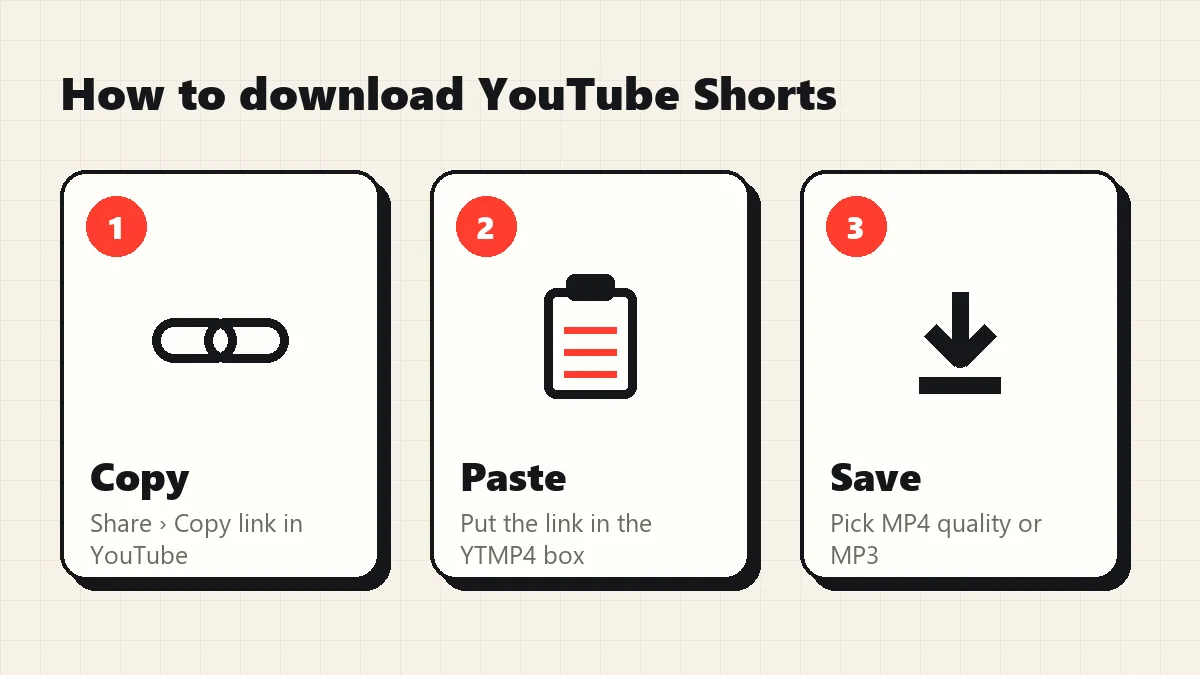
  1. 1

    Copy the link

    In YouTube tap Share, then Copy link. On a computer copy the address bar.

  2. 2

    Paste into YTMP4

    Put the link in the box above and press Convert. It takes 2–3 seconds.

  3. 3

    Pick and save

    Choose 1080p, 720p, 480p, MP3 or M4A. The file goes to your Downloads.

How to download YouTube Shorts with YTMP4: copy the Shorts link, paste, download

Why YTMP4

A YouTube to MP4 converter that does it properly

Most converters stop at 720p or hand you a 1080p file without sound. YTMP4 builds a real MP4 for every quality.

  • Real 1080p with sound

    HD files are merged from YouTube's picture and sound streams, so 1080p and 720p always have audio.

  • Every quality listed

    1080p, 720p, 480p, 360p, 240p and 144p MP4, plus MP3 and the original M4A audio.

  • Plays everywhere

    MP4 with H.264 video and AAC sound: phones, TVs, car screens, WhatsApp and editors.

  • Honest audio

    MP3 at 192 kbps and the original AAC track. No fake “320 kbps” labels on a 128 kbps source.

  • No app, no account

    Works in Chrome, Safari, Edge and Firefox on Android, iPhone, Windows and Mac.

  • Private by default

    No login, no history, no stored files. Links expire after 10 minutes.

YouTube Shorts download formats on YTMP4: vertical MP4 in every size and MP3
YouTube Shorts downloader by YTMP4: download Shorts as vertical HD MP4

The YTMP4 YouTube Shorts downloader saves Shorts as vertical MP4 files with sound, in their original quality, usually 1080×1920. Copy the link from the Shorts player, paste it above and press Convert. You can also keep only the sound as MP3. No app, no login, no watermark.

How to download YouTube Shorts

Using the YouTube Shorts downloader takes four steps:

  1. Open the Short in the YouTube app.
  2. Tap Share (the arrow on the right), then Copy link.
  3. Paste the link into YTMP4 and press Convert.
  4. Choose a size on the MP4 video tab, or open Audio for MP3, and press Download.

On a computer, open the Short on youtube.com (the address contains /shorts/), copy the address bar and paste it here.

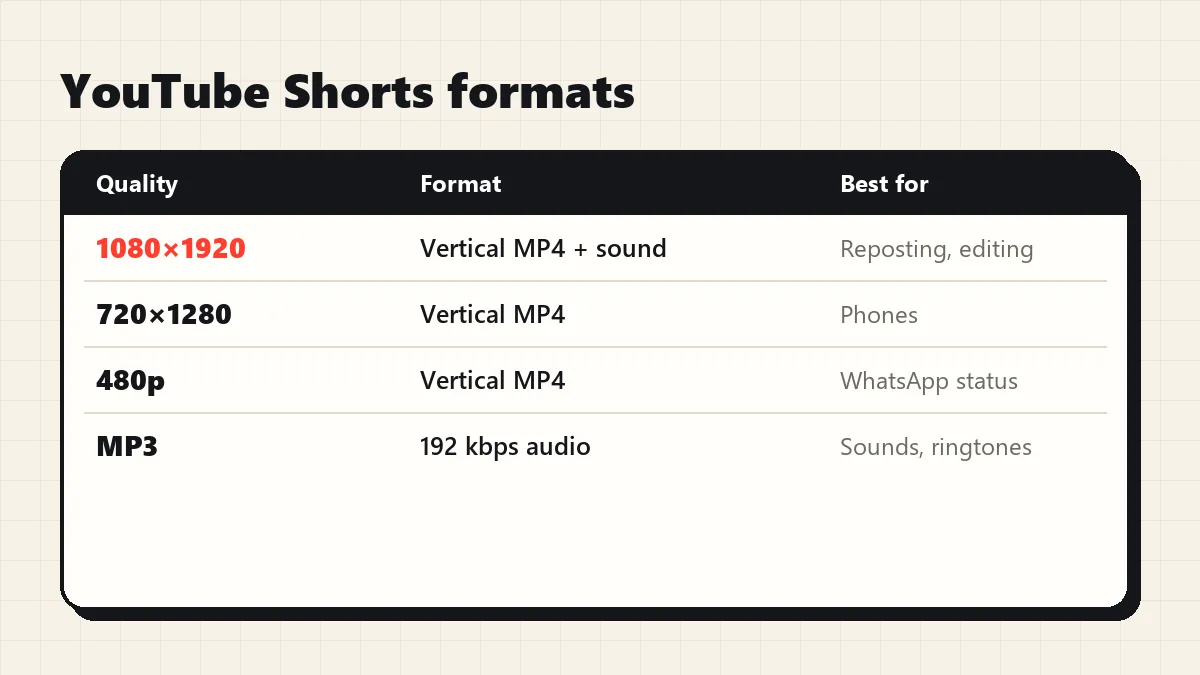
Shorts formats

Option What you get Use it for
Top MP4 (often 1080×1920) Vertical HD video with sound Reposting your own Shorts, editing
Smaller MP4 sizes Same video, fewer MB WhatsApp status, low storage
MP3 / M4A Sound only Songs, quotes, ringtones

Like every YouTube video, a Short is stored as separate picture and sound streams. YTMP4 merges them into one MP4 without re-encoding, so the Short looks exactly like it does on YouTube.

Why use a YouTube Shorts downloader?

  • Creators keep a clean copy of their own Shorts to post as Reels or TikToks, in the same 9:16 frame.
  • Teachers and students save short lessons and tips for offline use.
  • Families share kids’ rhymes and funny clips on WhatsApp without the YouTube app.

youtube.com/shorts/ID, youtu.be/ID?si=… and m.youtube.com/shorts/ID all work. Horizontal videos work too; see the YouTube to MP4 converter.

If the YouTube Shorts downloader can’t save a Short

What you see Why Fix
“This video isn’t available” Removed, private or blocked in some countries Try another Short
“Private or needs a login” Age-restricted or members-only Only public Shorts work
“Paste the link of one YouTube video” Channel link Copy the Short’s own link

Use the YouTube Shorts downloader for your own Shorts or clips you have permission to keep, and credit the channel when you share.

FAQ

Questions about YTMP4

How do I download a YouTube Short?

In the Shorts player tap Share › Copy link, paste the link into YTMP4, press Convert and choose a quality.

Do downloaded Shorts have a watermark?

No. YouTube doesn't add one to Shorts and YTMP4 adds nothing.

What quality are Shorts?

Usually 1080×1920 for recent Shorts. YTMP4 lists every size the Short was uploaded in.

Can I save a Short's music as MP3?

Yes. Open the Audio tab and download MP3 or M4A.

Can I download all Shorts from a channel?

No. Paste one Short at a time.